Getting fewer bookings does not always mean there is no demand for your property.
Sometimes people are not finding your listing or they are finding it but not clicking.
And sometimes they open the property page, check everything and still decide to book another place.
So before changing the price or rewriting the entire listing, it is better to understand where the actual problem is.
A good title, better photos and competitive pricing can definitely help.
But there are a few other things such as availability, amenities, reviews and your booking channels that can also affect the number of reservations you receive.
Let's go through them one by one.
1) Find out where you are losing bookings
Before changing anything, check what is actually happening with your listing.
For example, Airbnb allows hosts to check listing views and other performance information from the Insights section.
You can also search for your own property as if you were a guest.
Choose the same location, dates and guest count that your customers normally use and see where your listing appears.
Then look at the situation.
If you are getting very few views, you may have a visibility problem.
Check the dates you have opened, pricing, minimum stay rules, amenities and how your listing compares with nearby properties.
If people are opening your listing but not booking, then I would look more closely at the photos, total price, reviews, description and booking conditions.
If guests are messaging you but not completing the reservation, read those conversations.
They may already be telling you what is stopping them.
Airbnb also explains some of the factors that influence its search results, including listing quality, price, availability, guest engagement and reviews.
The point here is simple.
Don't change ten things at once without knowing what the problem is.
2) Make the listing title useful
The title is one of the first things a guest sees while browsing.
But you don't need to fit the complete property description into it.
A title like,
Beautiful Amazing Luxury Vacation Home
doesn't really tell me much.
Something like,
Lakehouse with private dock
is much more useful.
Or
Family villa with pool and game room
The second version tells the guest why they may want to open the listing.
Airbnb currently recommends keeping listing titles short and highlighting the features that make the property different. Their listing title guidelines also recommend putting the most important information first.
I would think about the main reason someone chooses your property.
Maybe it is,
- A private pool
- Beach access
- A mountain view
- A hot tub
- A large garden
- Walking distance to downtown
- Space for a large family
Use something real.
Words such as "amazing" or "stunning" take up space without telling the guest very much.
3) Use photos that answer guest questions
Photos can easily make or break a property listing.
But good vacation rental photography is not only about making the place look attractive.
The photos should also help the guest understand what they are booking.
Let's say your property has three bedrooms.
Show all three bedrooms.
If there are two bathrooms, don't show only the nicest one.
If parking is available, showing the parking area can be useful.
If the main attraction is a private pool, make sure guests can actually see the pool and the surrounding space.
Airbnb's current listing photography guidance recommends using natural light, keeping rooms free of clutter and showing every space guests can use.
I would also mix the types of images.
You can use a wider photo to show the complete living room and then a closer photo for something worth highlighting.
The order also matters.
Your first few images should answer:
Why should I look at this property instead of the next one?
For a beachfront villa, the ocean view probably belongs near the beginning.
For a cabin, it might be the outdoor deck, fireplace or mountain view.
Don't hide your best feature as photo number 24.
4) Check your amenities properly
This one sounds obvious, but it is easy to miss.
Guests use filters.
If someone searches only for properties with a swimming pool and you forgot to select "pool" in the amenities, your property may not appear in that filtered search even though you have one.
The same applies to things such as,
- Wi-Fi
- Parking
- Air conditioning
- Kitchen
- Washer
- Workspace
- Self check-in
- Hot tub
- Pet-friendly options
Go through the property once and check whether every amenity you actually provide is included.
Don't add things you don't have just to appear in more searches.
That will only create a bad guest experience later.
Amenities also help you understand where the property is positioned.
If most competing properties around you have parking and your property doesn't, that may be something you need to account for in the pricing or listing description.
5) Write the description for someone who is actually planning a stay
You don't need to make the property description sound like an advertisement.
Guests mostly want useful information.
Let's say you write, “Your perfect escape awaits in this stunning oasis.”
It sounds nice.
But the guest still doesn't know anything about the property.
Instead, explain what staying there is actually like.
For example:
The house has three bedrooms and sleeps up to six guests. The beach is around a five-minute walk away, and there is private parking for two cars. The kitchen is fully equipped, and the outdoor seating area faces the pool.
Now I know something.
You can also mention details that might not be suitable for everyone.
For example: The bedrooms are on the first floor and can only be reached by stairs.
That may reduce a few bookings.
But those guests probably shouldn't have booked that property in the first place.
A good description sets the right expectation instead of trying to convince everybody to book.
6) Don't keep the same price throughout the year
Demand for a vacation rental normally changes.
A property near a beach may have completely different demand in July compared with January.
A city apartment may become more expensive during a major event.
Weekends may perform differently from weekdays.
So I wouldn't set one nightly rate and leave it untouched for the entire year.
Check for,
- High and low seasons
- Weekdays and weekends
- Local events
- Holidays
- Last-minute gaps
- Longer stays
- Comparable properties nearby
Airbnb now offers its own dynamic pricing recommendations based on local demand, listing details and seasonality.
But whether you use a pricing tool or manage rates yourself, you should still understand why the rate is changing.
We have also covered this in more detail in our guide to seasonal pricing for vacation rentals.
And don't look only at the nightly rate.
Look at the total amount the guest pays.
A property with a lower nightly price can still become expensive after cleaning fees and other charges are added.
7) Make your calendar easier to book
Imagine your property looks perfect for a guest, but their dates are not available.
There is nothing else they can do.
Availability directly affects how many searches your property can match.
Airbnb itself says that adding more available dates can improve the chances of a listing matching a guest's search.
That doesn't mean you should open dates when the property is genuinely unavailable.
But check whether you have unnecessary restrictions.
Let me give you some use cases:
- Are too many dates manually blocked?
- Do you require a five-night minimum stay when most people in the area book for three nights?
- Does your advance-notice setting prevent last-minute bookings?
- Are you rejecting too many booking requests?
- Would Instant Book make sense for the way you manage the property?
Sometimes the property doesn't need more marketing.
It simply needs to be easier to book.
8) Use reviews to find the real problems
Reviews are not only there to convince the next guest.
They are also feedback for you.
Read the reviews and look for patterns.
One guest saying that check-in was confusing may be a one-time problem.
Five guests mentioning check-in is something you should fix.
The same goes for,
- Cleanliness
- Wi-Fi
- Communication
- Noise
- Beds
- Parking
- Property accuracy
- Value for money
Airbnb includes reviews and ratings among the quality signals used in its search system.
So improving the guest experience can help with more than just convincing future customers.
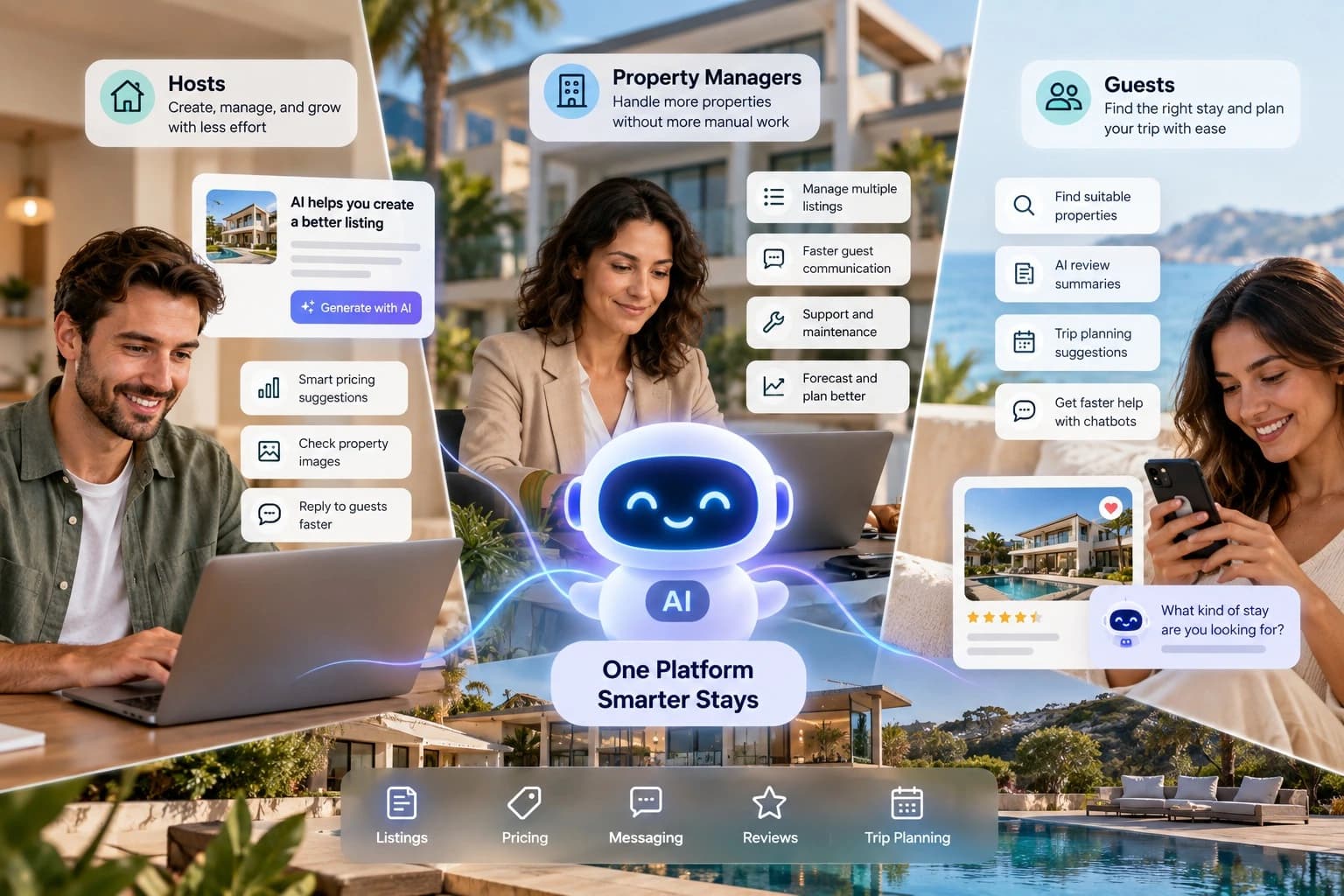
You can use GlyphStay’s AI review summary to identify the pros and cons that help you to improve your listings.
If reviews are an area you want to work on, we have a separate guide on using reviews to improve rental bookings.
And don't try to hide every negative review.
A useful response explaining what happened and what you changed can sometimes be more helpful than pretending problems never happen.
9) Don't depend on one booking channel
Optimizing your Airbnb listing is useful.
But if you manage a growing rental business, I would also think about where else bookings can come from.
That could include,
- Your own website
- Google
- Social media
- Returning guests
- Email
- Local partnerships
- Referrals
- Other booking marketplaces
You don't need to leave Airbnb to start working on another channel.
Both can work together.
We discussed this in detail in our guide comparing Airbnb vs direct booking.
For someone managing one occasional rental, Airbnb and other established marketplaces may already provide enough reach.
But if you have multiple properties, repeat guests and your own brand, building direct bookings becomes much more interesting.
I wouldn't recommend building a complete platform just because you had a slow month on Airbnb.
First fix the listing, check the pricing, improve the property, work on reviews and open the right dates.
But the situation changes when the business itself starts growing.
Let's say you manage 25 properties.
Guests already know your brand.
Some people come back every year.
You are spending money on social media and SEO.
At that point, sending every customer through another marketplace may not be your only option.
Your own platform can give guests a place to search your properties, check availability and book directly with your business.
This is also useful if you are planning to build a marketplace where other property owners can list their rentals.
GlyphStay Airbnb clone can help you to build your own rental marketplace
It includes guest, host and admin panel for property listings, search, availability, bookings, payments, messaging and reviews, along with web and mobile apps.
With GlyphStay Airbnb clone you get,
- 100% source code
- One-time fee
- AI features
- Multi-language and Multi-currency
- Free rebranding
- Multi-domain licence
With GlyphStay, you can launch your own website in 1-3 days. If you are planning to add more features, based on the custom work, the launch period might differ.
Takeaway
There is no single trick that suddenly gives a vacation rental more bookings.
Usually, several smaller things work together.
Your property has to appear in the right searches.
The photos and title have to make someone open the listing.
The price has to make sense and the dates need to be available.
And when the guest reaches the property page, the reviews, amenities and description have to give them enough confidence to book.
Start by finding the weakest part of that journey.
Fix that first.
Then move to the next one.
You can start building your own booking system once you have a decent amount of customers and revenue.
If you are planning to launch your own vacation rental marketplace, explore our Airbnb clone or contact us to discuss your rental business.