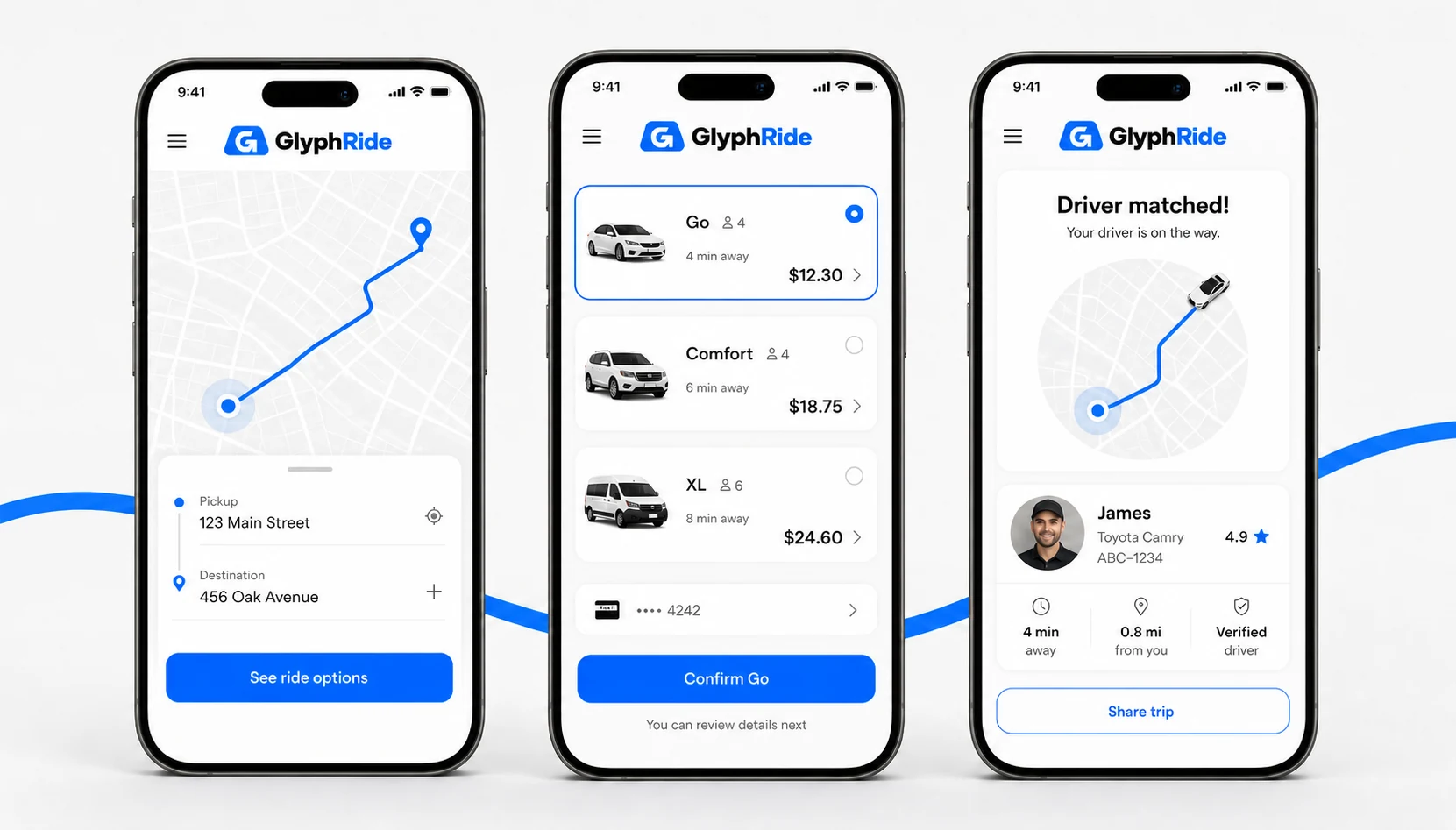
Request a ride in a few tapsChoose a vehicle, see the estimated fare, confirm the ride, and track the driver from the app.
Uber clone · Rider app · Driver app · Admin panel
Uber Clone Script for Taxi Booking & Ride-Hailing
GlyphRide comes with rider and driver apps, an admin panel, and complete source code for your ride-hailing business.
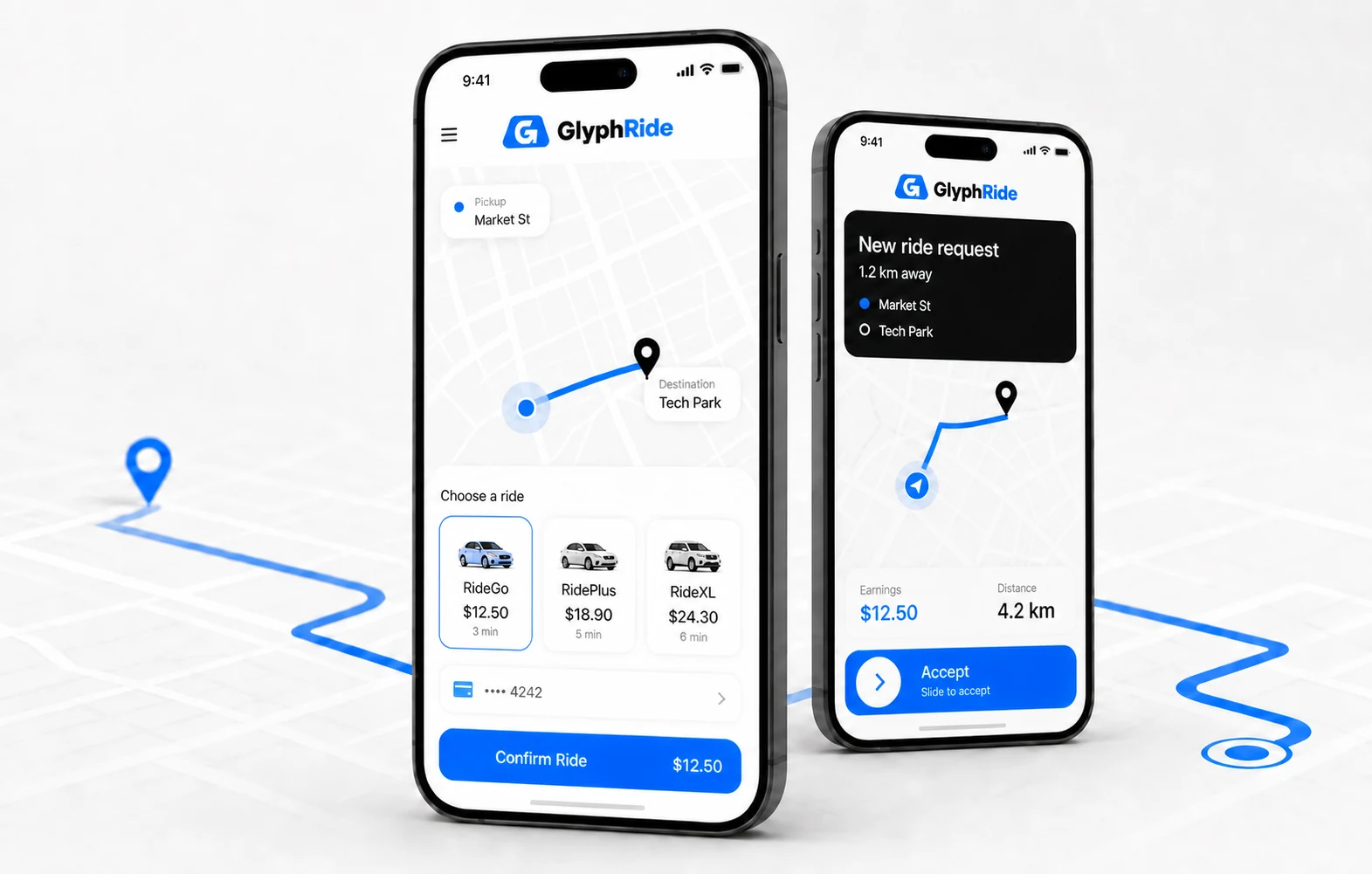
Book with confidenceCompare rides, see the fare and follow every mile.
Everything drivers need on the roadGo online, accept ride requests, follow navigation, and keep track of earnings from the driver app.
Run the platform from one placeManage riders, drivers, trips, fares, payments, and marketplace activity from the admin panel.
01 · The platform
What is an Uber Clone?
An Uber clone is a ready-made taxi booking and ride-hailing solution that helps you launch a business similar to Uber without developing the entire platform from scratch.
It comes with a rider app, driver app, and an admin panel to manage rides, users, fares, payments, and day-to-day operations.
BUILT FOR THE ROAD
GlyphRide is our readymade Uber clone for taxi booking and ride-hailing businesses. You get a fully customizable, white-label solution with 100% source code, separate rider and driver apps, and an admin panel.
Rider App→Driver App→Admin Panel
100% Source Code
After product purchase, you will receive the complete source code, which gives you full control over the product.
Fully Customizable
You can change the brand name, logo, colors, features, fares, payment setup, etc. You have full freedom to change it however you want to based on your business needs.
Built with Latest Tech Stack
GlyphRide is built with Next.js, NestJS, MySQL, Flutter, and Tailwind CSS across web, backend, and mobile.
Modern UI & UX
Built with clean and responsive interfaces for riders, drivers, and the admin panel.
One-time Payment
Pay once for the product license, and you get lifetime access without any recurring fees.
Scalable
GlyphRide is built to support additional users, drivers, service areas, and new features as your business expands.
02 · Rider journey
Rider Features
Request.
Match.
Move.
Fare Estimation
Riders can see the estimated fare before booking a ride based on distance, vehicle type, and pricing rules.
Live Ride Tracking
Easily track the driver location on the map from pickup until the ride is completed.
Multiple Payment Options
Riders can pay for their rides using multiple payment methods like cash, card or wallet from the platform.
Schedule a Ride
Riders can also book a trip in advance by choosing the pickup date and time.
Choose Vehicle Type
Riders can choose their preferred vehicle category like Micro, Mini, Sedan, or SUV before requesting a ride.
Ride History
View upcoming and previous trips along with fare, driver, and booking details.
Saved Locations
Save frequently used locations such as home or work for quick bookings.
Driver Ratings & Reviews
Riders can rate their driver and leave feedback after completing the trip.
03 · Every mile accounted for
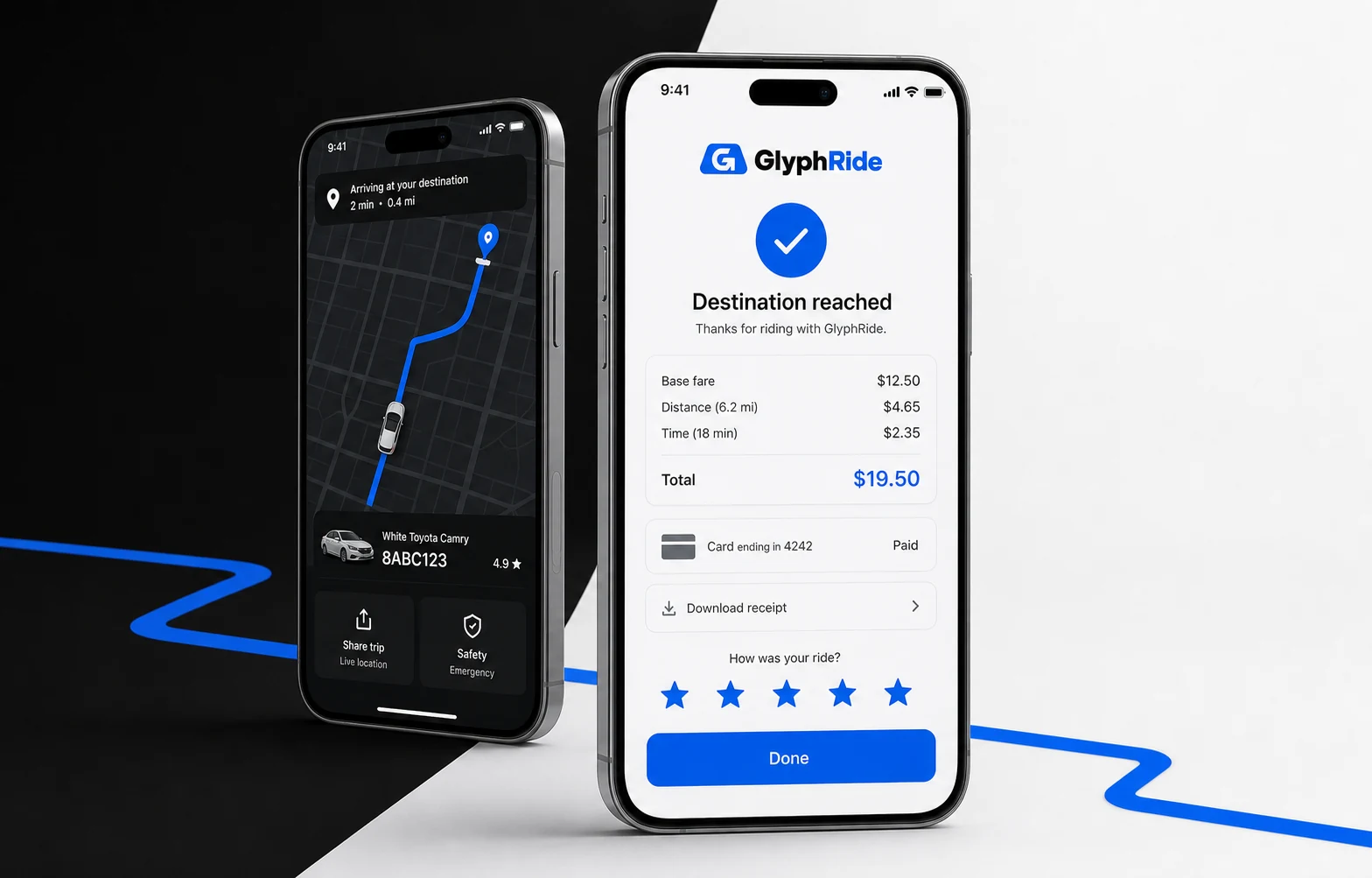
Track the ride from pickup to destination.
Riders can see where the driver is, follow the ride on the map, check the final fare, and leave reviews and ratings once the trip is over.
04 · Driver command
Driver Features
Trip Requests
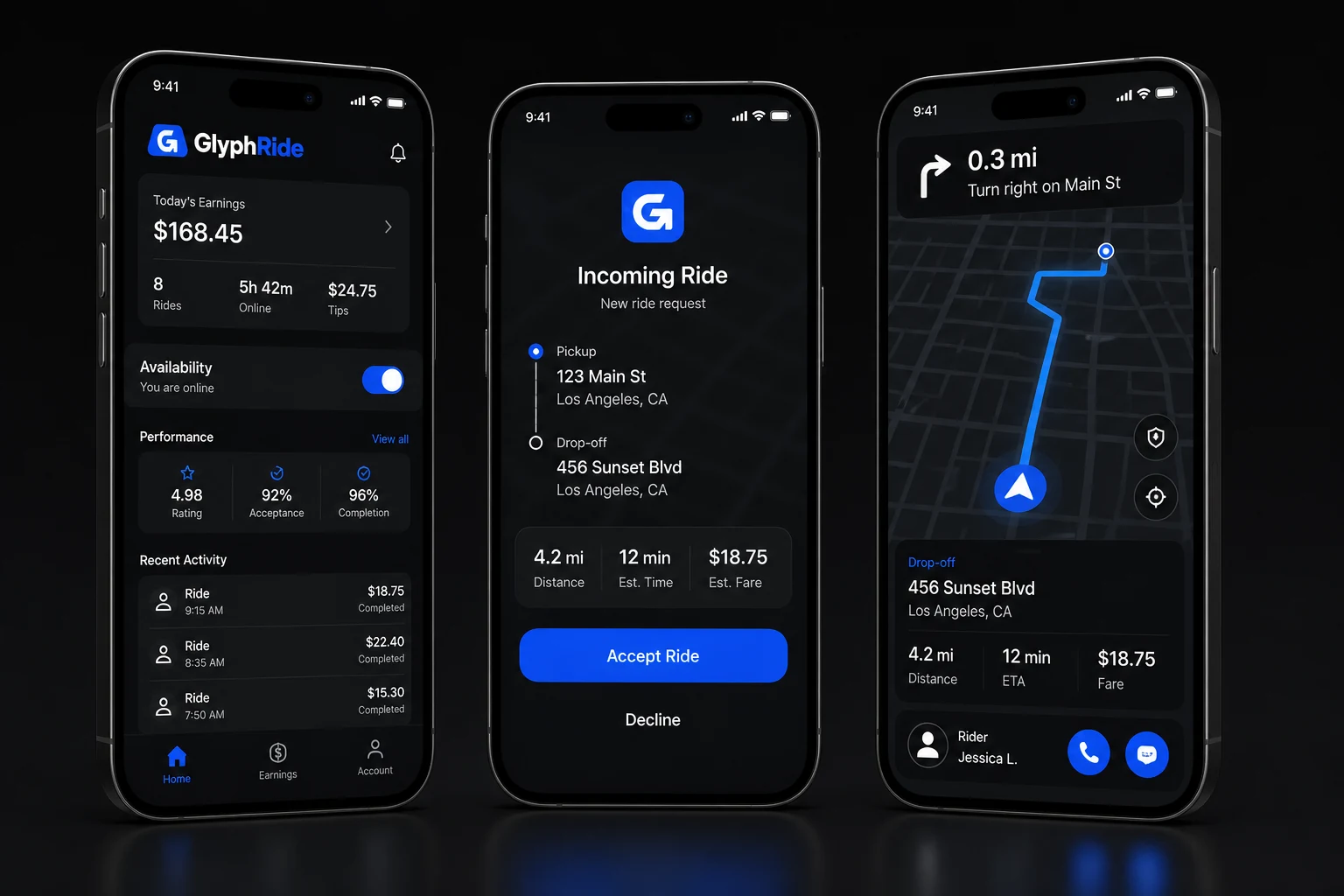
Drivers can see incoming ride requests with pickup, destination, distance, and estimated fare before accepting. They can accept or decline the ride requests based on their convenience.
Navigation & Route Guidance
After accepting a ride, drivers can use the in-app navigation to reach the pickup point and continue to the destination.
Online / Offline Status
Drivers can go online when they are ready to accept rides and switch offline when they are done for the day.
Earnings
Drivers can check completed trips, fares, tips, and earnings from the driver app.
Trip History
Drivers can review previous rides along with fare, distance, time, and rider details.
Rider Communication
Drivers can call or message the rider from the app when needed during pickup or the trip.
05 · Client operations
Admin Features
With the help of the admin panel, platform owners can manage drivers, riders, trips, fares, payments, and other day-to-day operations.
Manage the whole platform from one place.With the help of the admin panel, platform owners can manage drivers, riders, trips, fares, payments, and other day-to-day operations.
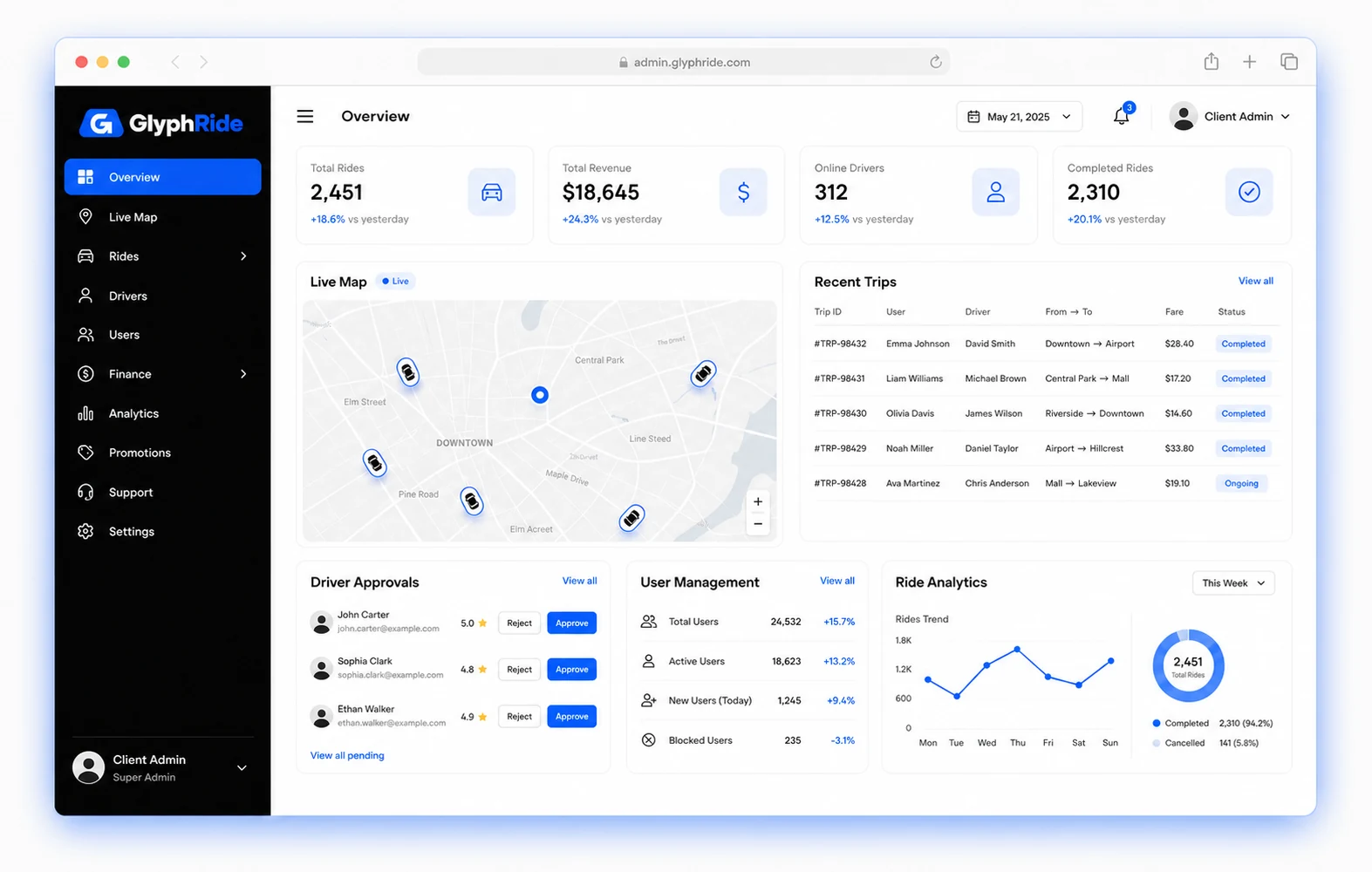
Dashboard
See trips, revenue, active drivers, riders, and recent activity from the dashboard.
Driver Document Verification
Review driver licenses, ID proofs, and vehicle documents before approving a driver account.
Fare Management
Set pricing by vehicle categories, distance, time, and location based on your pricing setup.
Geo-Fencing & Location Settings
Create service areas where your business can operate and decide where riders can book trips.
Ride Management
View ongoing, completed, and cancelled trips along with the rider, driver, fare, and trip details.
User & Driver Management
Manage rider and driver accounts, approve drivers, update profiles, or restrict access if needed.
Your next step
Ready to Launch Your Ride-Hailing App?
Let us walk through the rider, driver, and admin panel demo and then talk to us about your next steps.
06 · Technology foundation
Technology
behind GlyphRide.
We use Next.js, NestJS, MySQL, Flutter, and Tailwind CSS to build the web, backend, and mobile app of GlyphRide.

It helps the web and admin panels load quickly and stay responsive.
Web experience07 · Launch support
From server setup to app submission.
Free Server Installation
We install GlyphRide on your server and set up everything needed to run the platform.
Free App Submission
We help submit the rider and driver apps to the Google Play Store and the Apple App Store.
Free White Labeling
We customize the app with your business name, logo, colors, and app details.
App Resubmission Support
If the app is rejected during submission, we help with the required changes and submit it again.
Your market. Your rules.
Let’s Customize GlyphRide for Your Business
Need different features or business rules? Tell us what you want to change.
Before you take the wheel
FAQ
GlyphRide comes with a rider app, driver app, web-based admin panel, and complete source code. Server installation, white-labeling, and app submission support are also included.
Of Course. We will replace GlyphRide branding with your business name, logo, colors, app icons, and other brand details before launch.
Yes. You will receive 100% source code files after product purchase. It gives you the freedom to make any changes according to your needs.
The rider and driver apps are available for both Android and iOS. The admin panel is web-based, and it can be accessed through any browser.
A standard setup with installation, branding, testing, and app submission can be completed within 7-10 days once we have everything we need from you.
Of Course. You can share your requirements on what to change or add, and our team can customize the rider app, driver app, and admin panel as well.
Yes. We can integrate your preferred payment gateway and maps under custom work.
Yes. The business model can be similar to Uber, but the app should carry your own branding and comply with the local rules and regulations where you launch.
If your mobile app gets rejected, our team reviews the rejection reason, makes the required changes related to our app, and resubmits it for approval.
Yes. We will install GlyphRide on your remote server and set up the required configurations to get the platform running.
YOUR NEXT MOVE
Put your ride-hailing business on the map.
See how GlyphRide works, tell us what you need for your business, and we will discuss what it takes to get your platform live.
01Brand it02Customize it03Launch it
7–10 daysTypical launch path